leadz.ninja
Find the leads others can't see.
The field professionals B2B databases can't see
Tradespeople, shops, independents: Leadz finds them on the web and Google Maps, checks their website, phone and email, and turns each into an AI-qualified profile ready to call.
Leadz covers French businesses. The app is in French for now: sign-up and the app itself are not translated yet.
100 free trial credits once you confirm your email, valid for 30 days, no commitment. Already have an account? Sign in
Figures read from the database, not typed by hand
- prospectable company profiles
- 8,940
- with a phone number
- 56 %
- with an email not flagged invalid
- 26 %
- with a website
- 67 %
Live figures across Leadz's prospectable profiles, refreshed every hour.
How it works
You say who you are looking for, Leadz does the searching.
What you get
Qualified leads
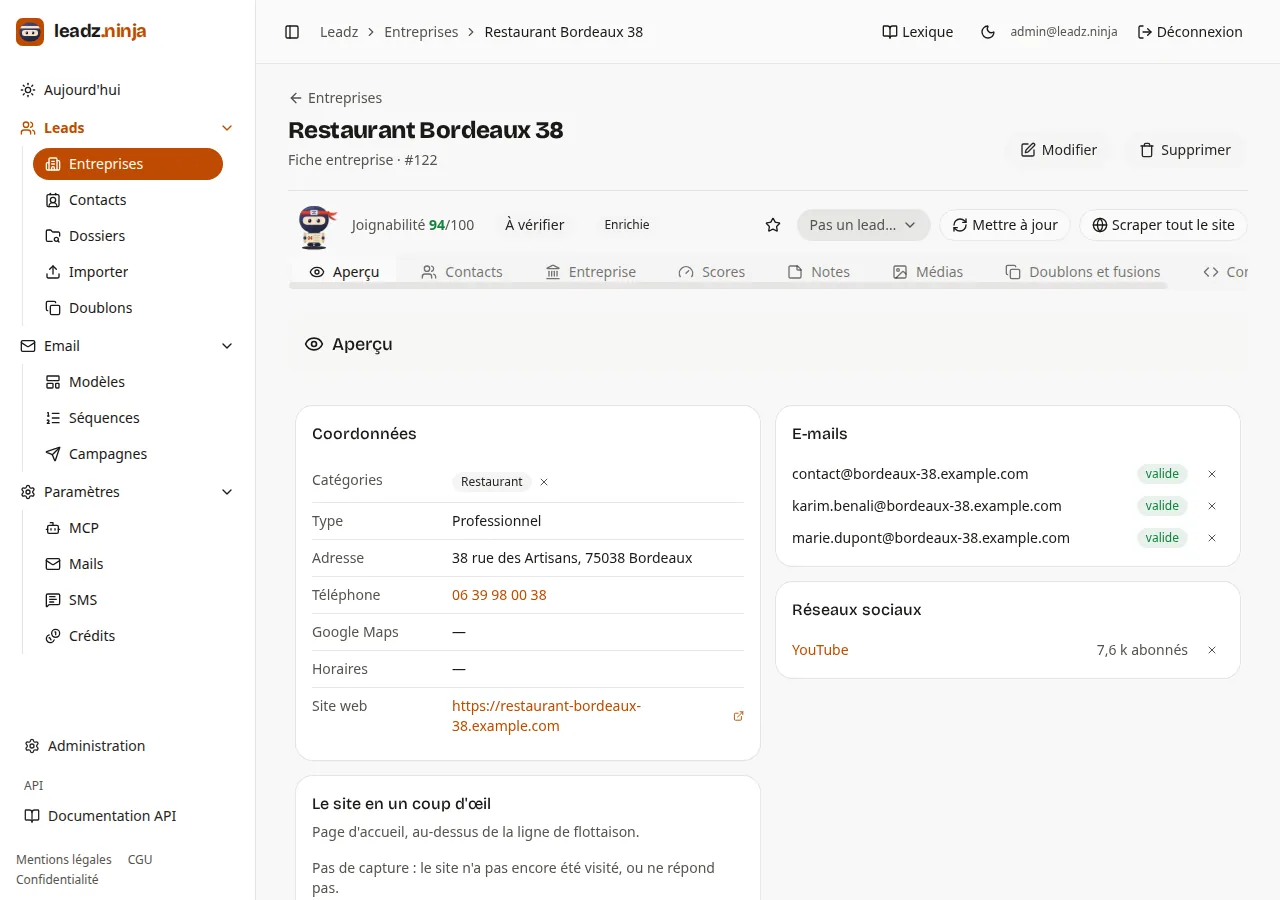
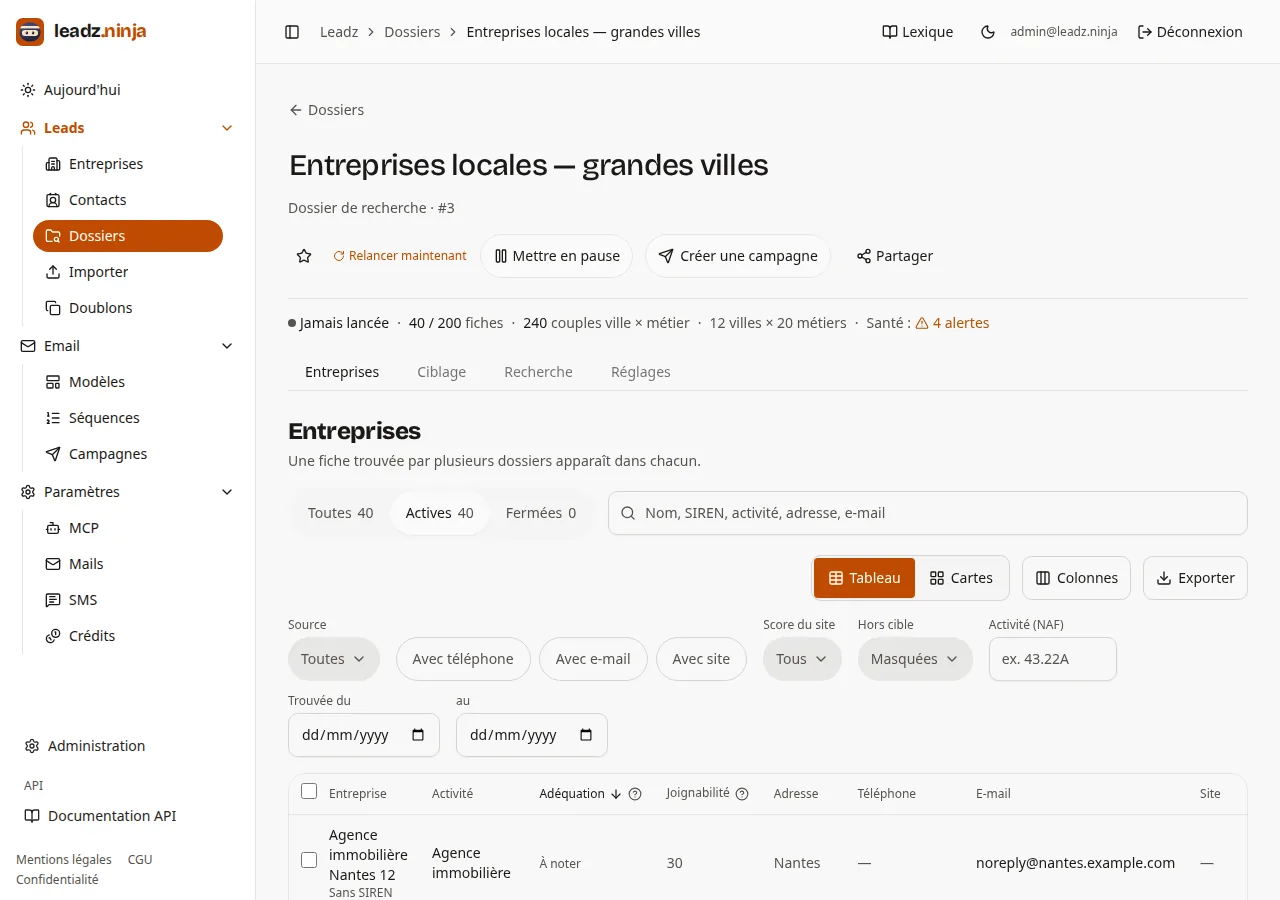
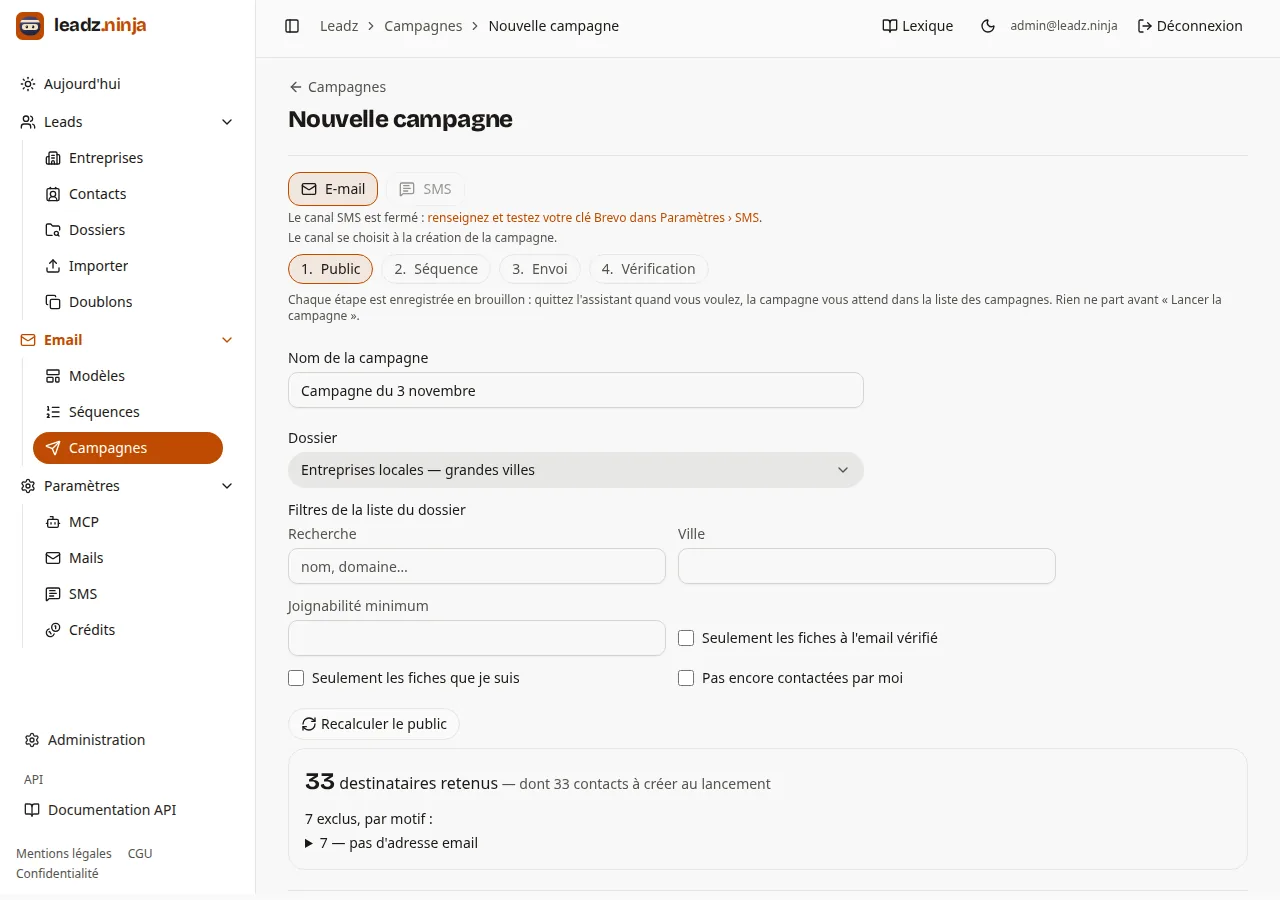
Screenshots of the app on a demo account — fictitious companies and contact details.
Prospect by talking to your assistant
Leadz can be driven from Claude or any MCP-compatible assistant. Describe your target in one sentence: the assistant creates the search folder, starts the search and brings back the companies it found.
Connect Leadz to Claude
In Claude (Desktop or claude.ai), add a custom connector with the server address, nothing else:
https://leadz.ninja/api/mcp
Click “Connect”: a Leadz window opens. Sign in, then click “Authorize”. No token to copy.
Describe your target: the assistant shows you a preview of the folder and only creates it once you agree.
Who is it for?
For anyone who needs to reach small businesses and independents, which B2B databases cover poorly.
- Building trades
- Local shops
- Professional services
- B2B services
- Food and hospitality
- Health and wellbeing
Leadz and B2B databases
Pharow, Kaspr and Apollo are very good tools, for other targets. Here is where Leadz stands apart, and where it does not try to replace them.
| Criterion | Leadz | Classic B2B databases |
|---|---|---|
| Coverage of small businesses and independents | The core target: tradespeople, shops and professional services, found on the web, Google Maps and the company registry. | Established companies and decision-maker profiles; very small businesses are often missing or incomplete. |
| Price per profile | One credit per company newly added to a folder; viewing and exporting cost nothing. | Most often a subscription or a credit bundle, depending on the plan. |
| Driven from an assistant (MCP) | Yes: Claude prepares folders and searches your profiles, in one click. | Varies: browser extension, API or CRM integrations. |
| Built-in outreach | Email and SMS campaigns, follow-ups and tracking, from your own addresses. | Often an export to a sending tool or a CRM. |
| Enterprise accounts and decision makers | Not our ground: Leadz does not replace a decision-maker database. | Their strength: large databases of profiles and established companies. |
Indicative comparison, based on these vendors' public websites: check their current offers.
API and integration
Every qualified profile is exposed through a documented REST API (OpenAPI), protected by a JWT token, so it plugs into your CRM or internal tools. The documentation is available from within the app.
Frequently asked questions
Where does the data come from?
From the public web: company websites, professional directories and open data. Each source's raw content is archived and stays traceable from the profile.
Do the profiles comply with GDPR?
Profiles only hold public professional information collected from the open web, and processing relies on the legitimate interest of B2B prospecting. Professionals have a right to object: a removal request is taken into account, and every email sent carries an unsubscribe link. Compliance of prospecting also depends on how the data is used: the user remains responsible for their messages and must state the source of the data from the first email. Read the privacy policy
How often are profiles refreshed?
Legal information (identity, status, insolvency proceedings) is rechecked every 6 hours, in batches, for profiles older than 30 days or flagged for review. Website content is not monitored continuously: a profile reflects the last visit to the site, whose raw content stays archived.
How much does it cost and what is a credit?
One credit is spent for each company newly added to a folder. Viewing, exporting or updating a profile that is already visible costs nothing. Your balance and its history are shown in the app; to top up, contact us.
What does it cost after the trial?
Beyond the trial, credits are topped up with one-off packs, no subscription: the price of each pack and the cost of each action are on the Pricing page. For now, top-ups are requested by email. See pricing
Do I need a credit card to try it, and what happens after the trial?
No: signing up only asks for an email address and a password. You get 100 trial credits, valid for 30 days, as soon as you confirm your email through the link we send. Once the credits are used up or expired, your searches pause; your profiles stay viewable and exportable.
How long before the first profiles?
The search starts as soon as you launch the folder, without waiting behind other jobs. Profiles appear as they are qualified, and you follow progress in the app; the time depends on the target, cities and trades you chose.
Can I send emails or SMS from Leadz?
Yes. Emails go out from your own sending address, as single messages, follow-up sequences or campaigns, with a gradual daily cap and an unsubscribe link. SMS go through your Brevo account. Launching a campaign remains a decision made in the app.
Can I drive Leadz from Claude?
Yes: Leadz connects to Claude as an MCP connector, in one click. Claude can prepare your folders, search your profiles and draft messages, but launching a campaign, sending and deleting stay in the app.
Can I export my results or integrate them with my tools?
Yes, every list can be filtered then exported, or integrated directly through the API.
Request a demo
Tell us who you are and what you are looking for: we will get back to you quickly with a demo tailored to your industry.